Connect an app
Your applications, by configuration
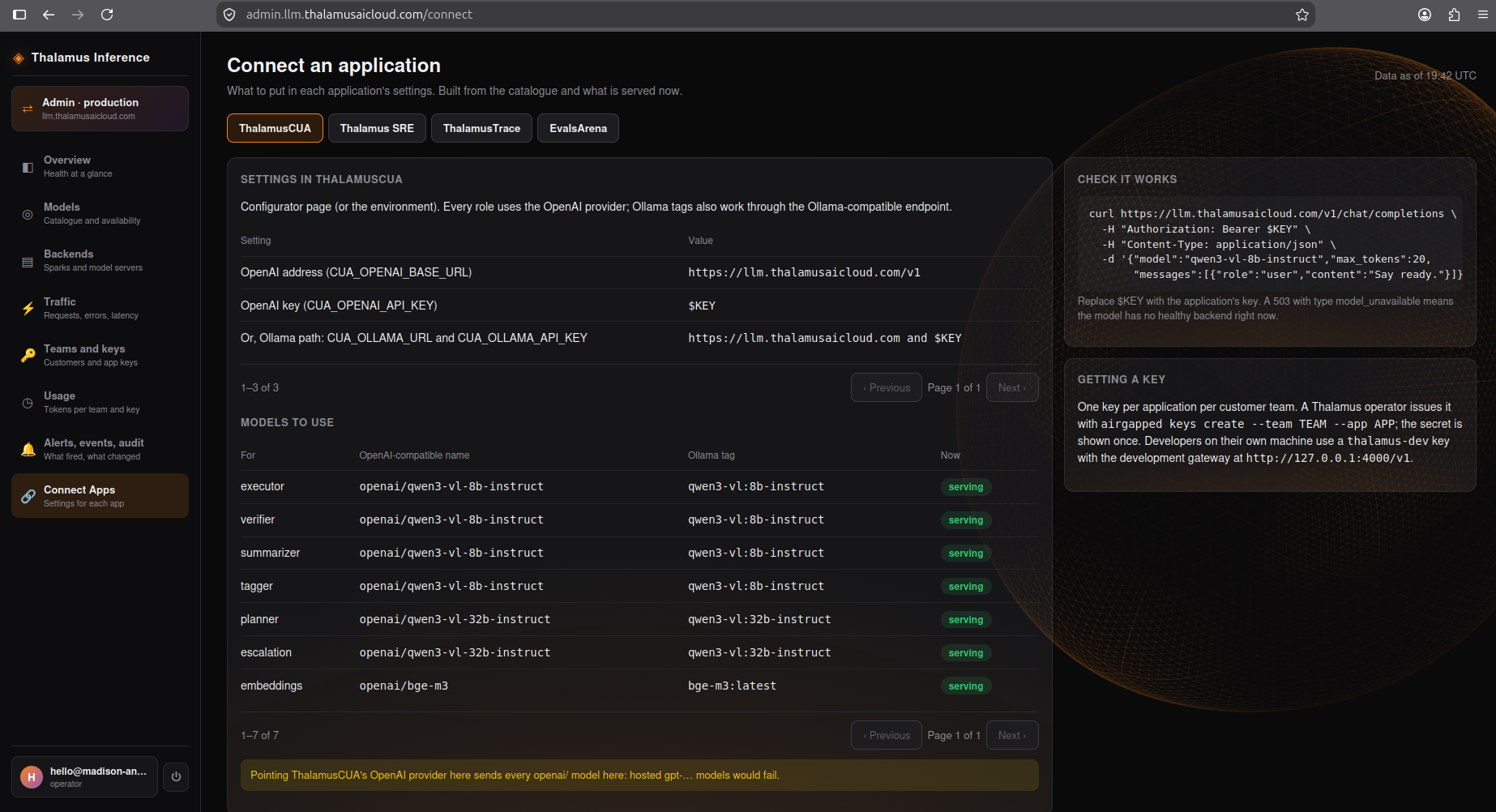
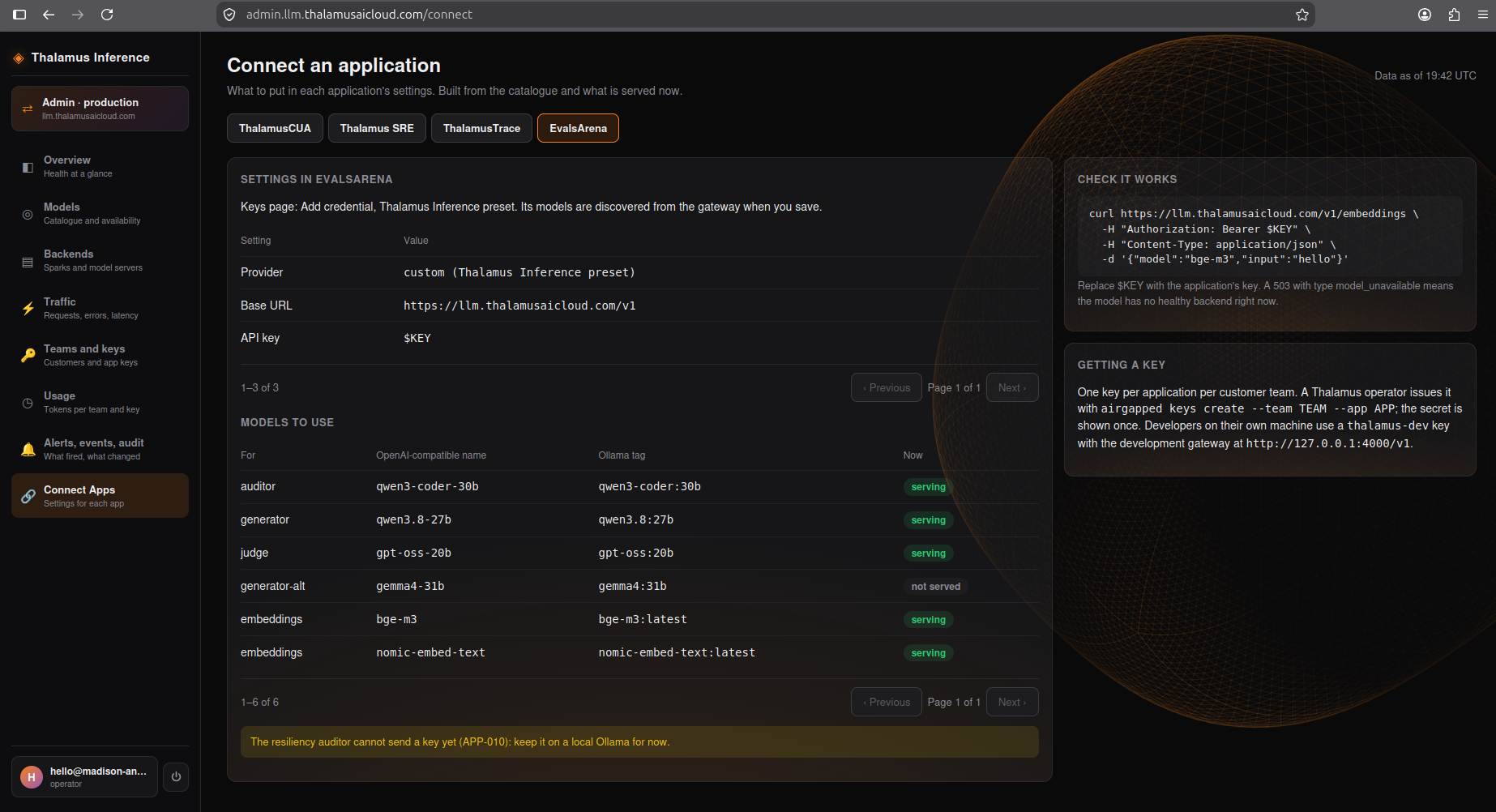
Each Thalamus application connects through its own settings: a base URL, a key and a model name. The Admin console's Connect Apps page shows the exact values, built from what is served now.
Connect an app
Each Thalamus application connects through its own settings: a base URL, a key and a model name. The Admin console's Connect Apps page shows the exact values, built from what is served now.
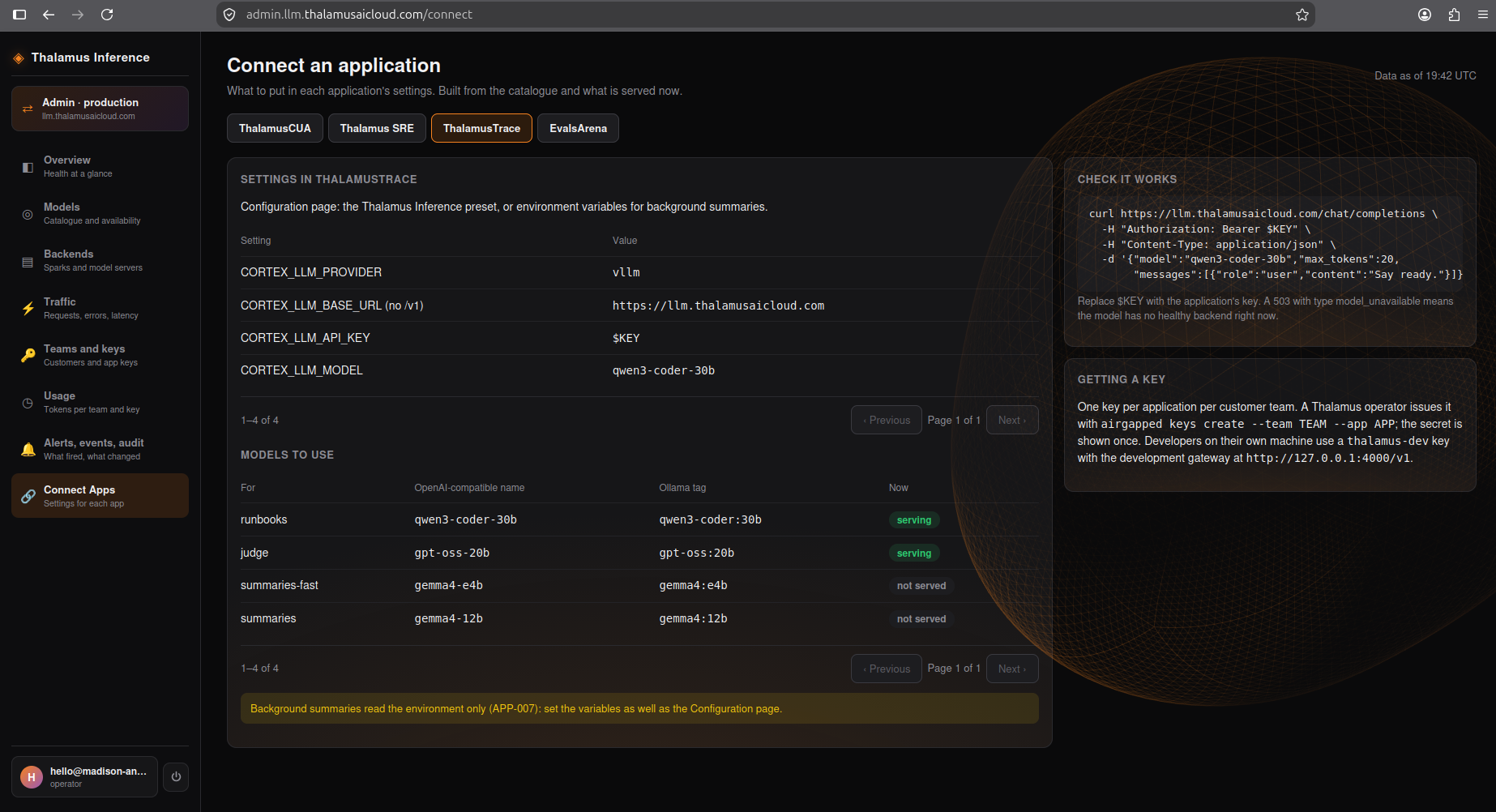
Each customer has a team; each application gets its own key in that team, so its usage is its own and it can be revoked alone. A Thalamus operator issues it:
airgapped keys create --team TEAM --app APPThe secret is shown once, there. Send it as Authorization: Bearer $KEY on either API. Developers use a thalamus-dev key with the development gateway.
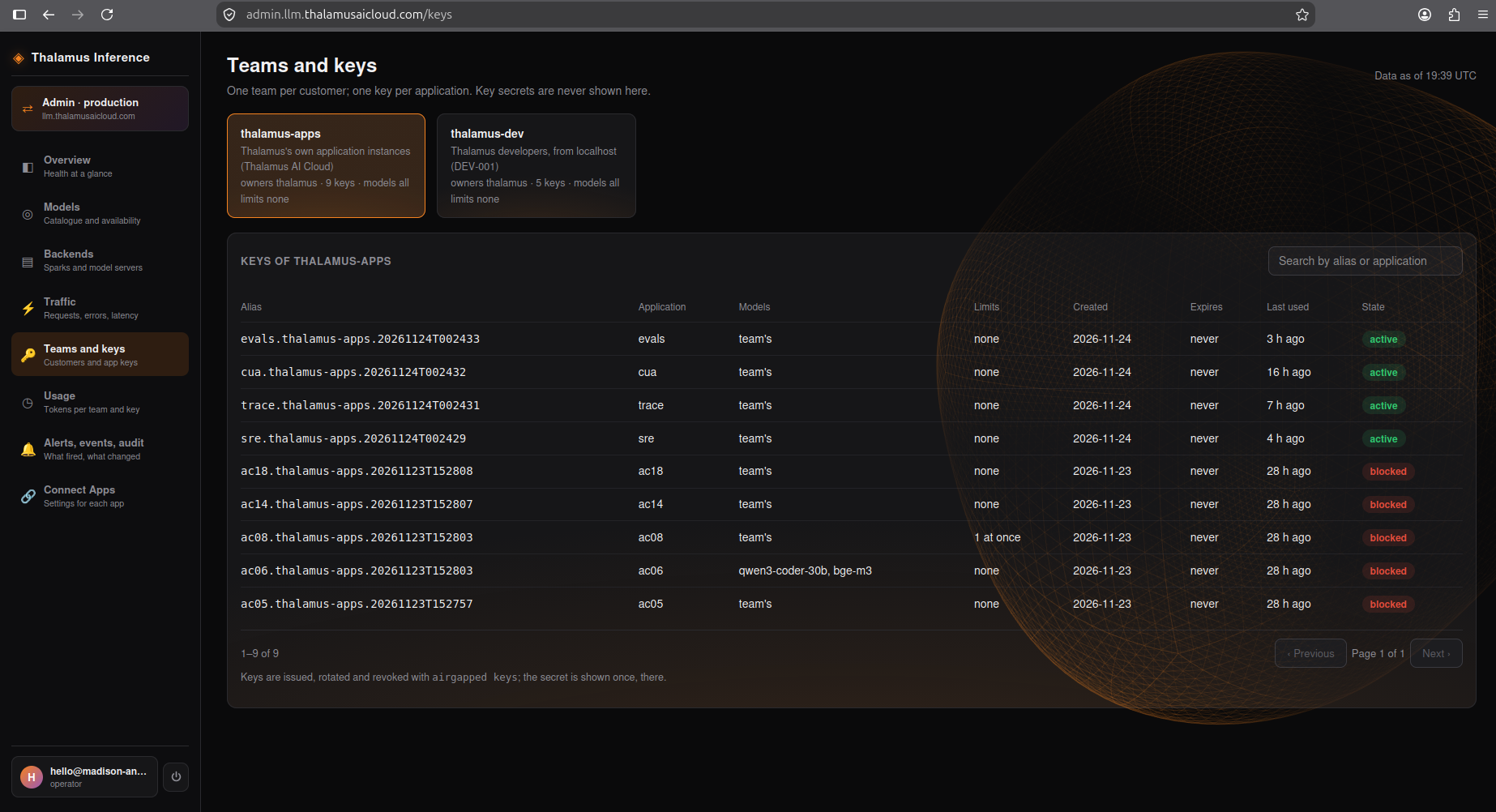
Base URL https://llm.thalamusaicloud.com/v1 (some clients take it without /v1 and add it themselves). Chat completions, embeddings and model listing, with streaming, tools and JSON output. Check a key in one line:
curl https://llm.thalamusaicloud.com/v1/chat/completions \
  -H "Authorization: Bearer $KEY" -H "Content-Type: application/json" \
-d '{"model":"qwen3-coder-30b","max_tokens":20,"messages":[{"role":"user","content":"Say ready."}]}'Point an Ollama client at https://llm.thalamusaicloud.com (no /v1) and add the key. /api/chat, /api/generate, /api/embed, /api/tags and /api/show work with the catalogue's Ollama tags; pulling, deleting or creating models is refused, because the models are managed for you.
On the Configurator page (or in the environment): the OpenAI address https://llm.thalamusaicloud.com/v1 and key, with roles on openai/qwen3-vl-8b-instruct and openai/qwen3-vl-32b-instruct. The Ollama path also works, with CUA_OLLAMA_URL and CUA_OLLAMA_API_KEY.
In Configure Integrations, the Thalamus Inference card with the Production preset and the key; its models then appear under Thalamus Inference in every model picker, which also shows which are serving now. The Ollama card stays for a local Ollama.
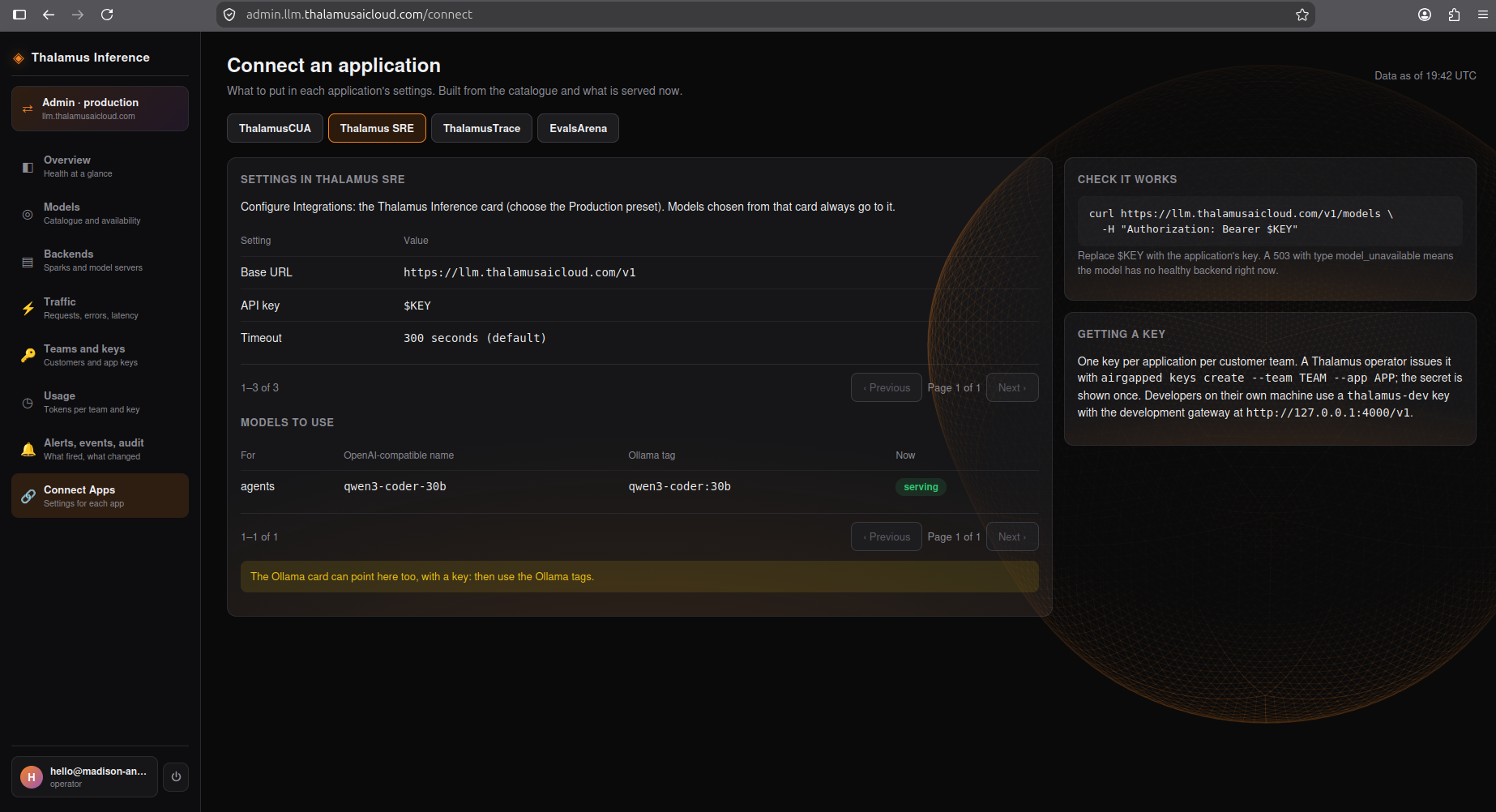
On the Configuration page, the Thalamus Inference preset; for background summaries also the environment: CORTEX_LLM_PROVIDER=vllm, CORTEX_LLM_BASE_URL=https://llm.thalamusaicloud.com (no /v1), the key and the model.
On the Keys page, Add credential → Thalamus Inference with the key: the models are discovered from the gateway. Route the judge and embedding functions to them in Settings → Routes. The resiliency auditor connects with AUDITOR_PROVIDER=openai-compatible and the saved credential's name.
For building and testing without GPUs: just dev-up in the ThalamusInference repository starts the gateway on http://127.0.0.1:4000 and its Ollama layer on http://127.0.0.1:11500, with stand-in model servers that answer for every catalogue name. Use the base URL http://127.0.0.1:4000/v1 and a thalamus-dev key; just dev-down stops it.
Schedule a demo
Tell us about your applications and the models they need, and we'll show you how Thalamus Inference would serve them: on Thalamus DGX Sparks, or on hardware in your own network, behind one gateway with your own keys and usage.