Documentation How it works Models Connect an app Admin console Security & governance

Documentation

Thalamus Inference documentation

Open-weight models for the Thalamus applications, served on DGX Sparks and reached through one gateway: an OpenAI-compatible API and an Ollama-compatible API, each application with its own key, its own models and its own usage.

For new and existing users alike, these pages describe every feature the service ships. Which models your key reaches depends on your team, and which models are serving right now is always on the Models page of the Admin console.

Getting started

From a key to your application's first answer, in four steps.

Two APIs, one gateway

Applications keep the client they already have. Both APIs reach the same models, under the same key and the same rules.

Explore the documentation

Each area of the service, with what it does and where to read more.

Models

The models, and whether they serve now

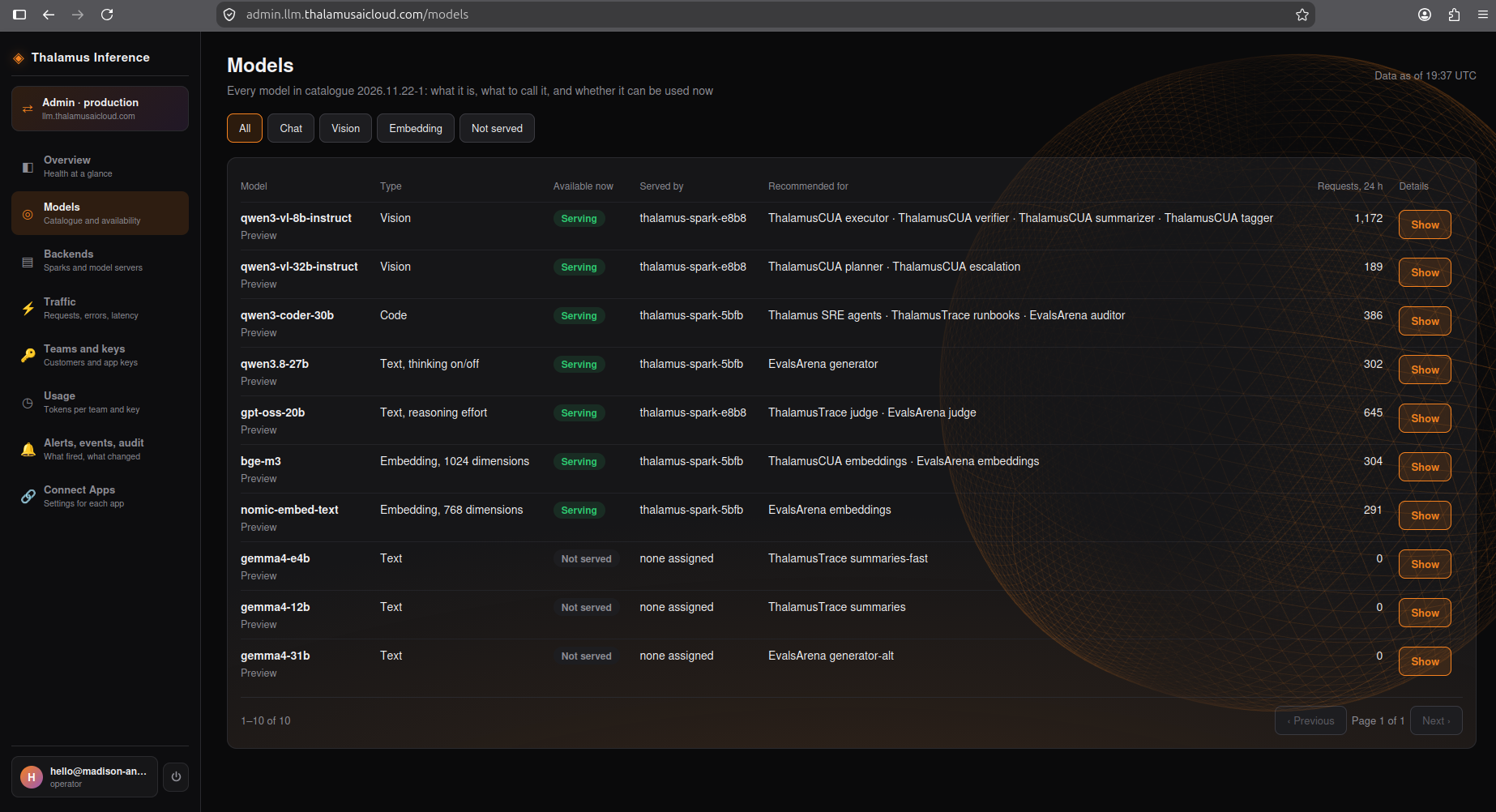
A versioned catalogue of open-weight models: vision, code, text with thinking on or off, and embeddings. Each one says what it is good for, the names to call it by, and where it is served right now.

  • Qwen3-VL 8B and 32B for screens and images
  • Qwen3-Coder 30B for code and agents; Qwen3.8 27B and gpt-oss 20B with thinking
  • bge-m3 and nomic-embed-text for embeddings
  • Measured speed per model, from the benchmarks
Read the Models guide β†’
The Models page of the Admin console
The Models page β€” every catalogue model, its type, where it is served, and what it is recommended for.
Connect an app

Your applications, by configuration

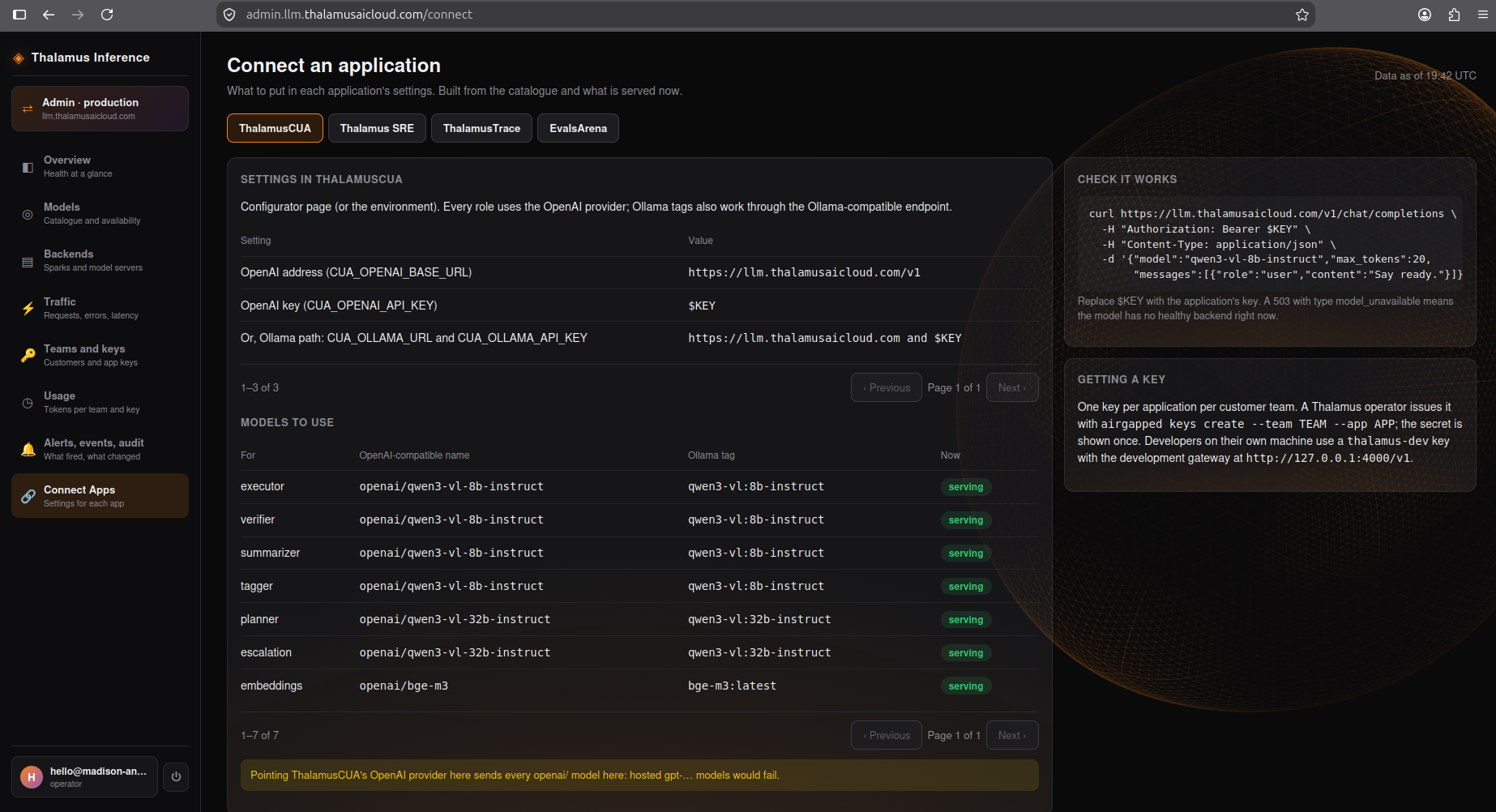
ThalamusCUA, Thalamus SRE, ThalamusTrace and EvalsArena connect with their own settings pages: a base URL, a key and a model name. Nothing else in the application changes.

  • The exact settings for each application
  • Which model each role of an application uses
  • A one-line check that the key works
  • Clear errors: a model not served now is 503 model_unavailable
Read the Connect guide β†’
Connect Apps settings for ThalamusCUA
Connect Apps β€” what to put in each application's settings, built from what is served now.
Admin console

See the whole service at a glance

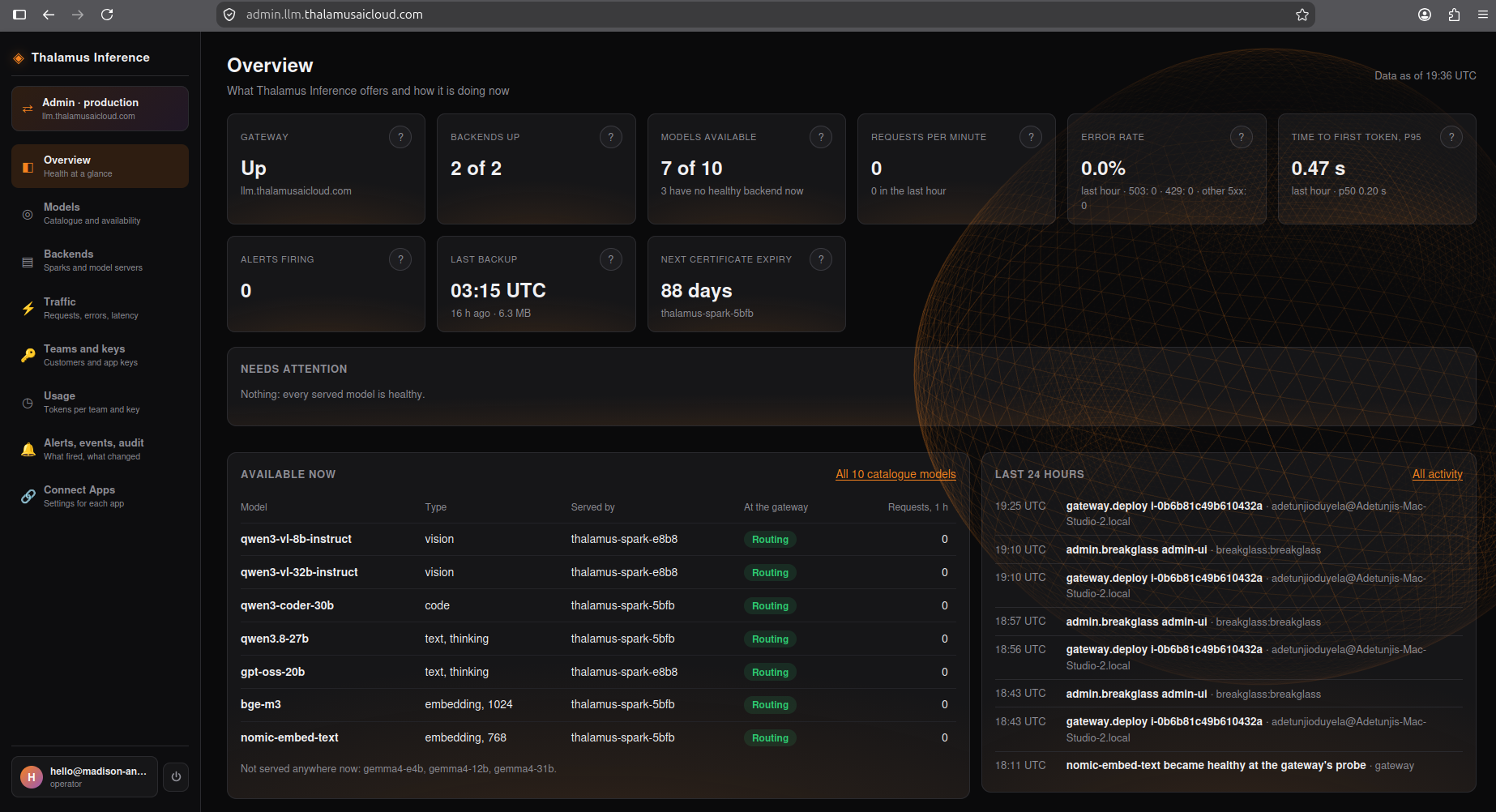
The Admin console shows Thalamus operators and customers what is offered and how it is doing: availability, backends, traffic, usage, keys and every change.

  • Overview: gateway, backends, models, error rate and time to first token
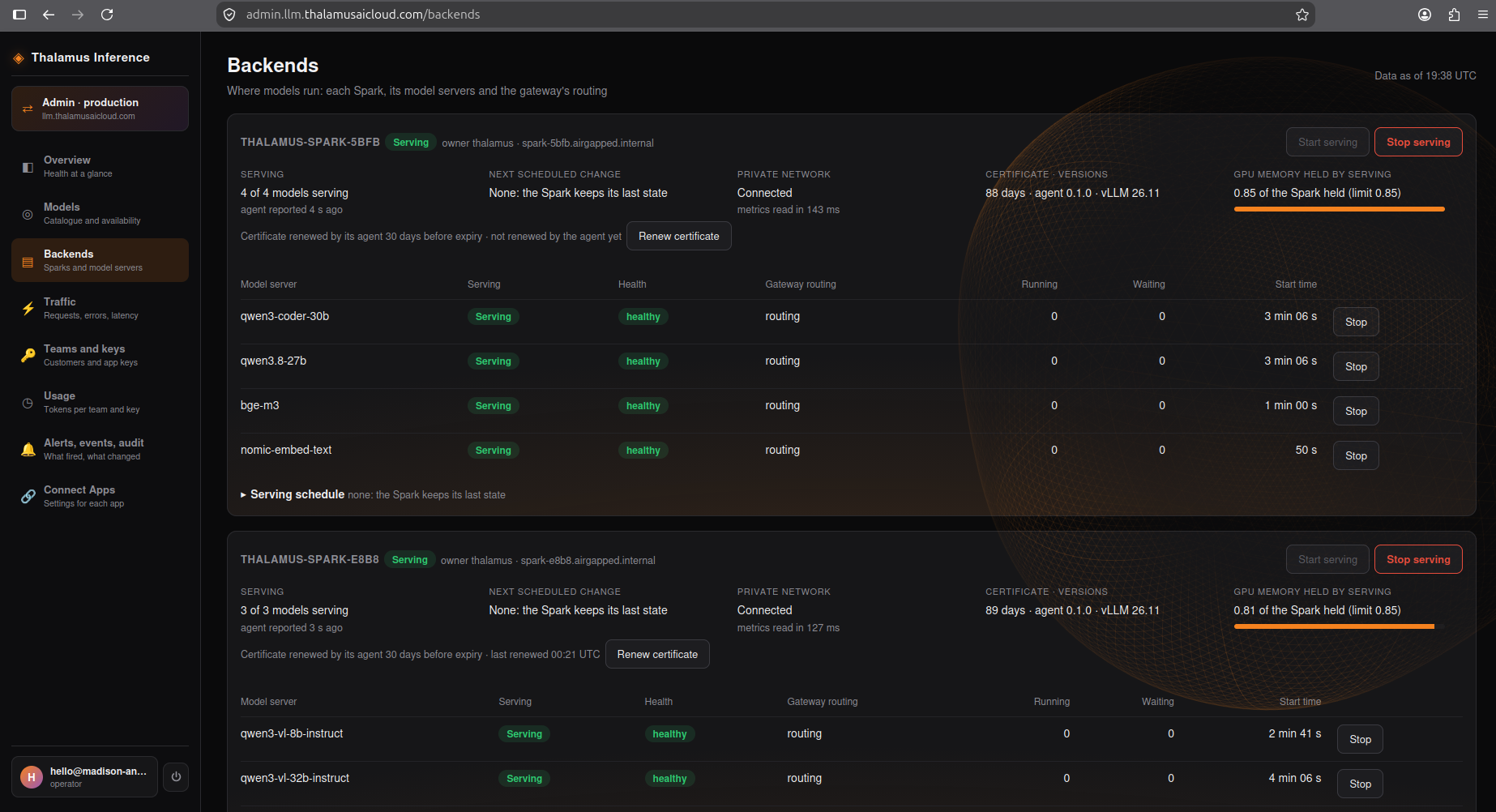
  • Backends: each Spark, its model servers, schedules and certificates
  • Usage per team, key, model and day, with a CSV
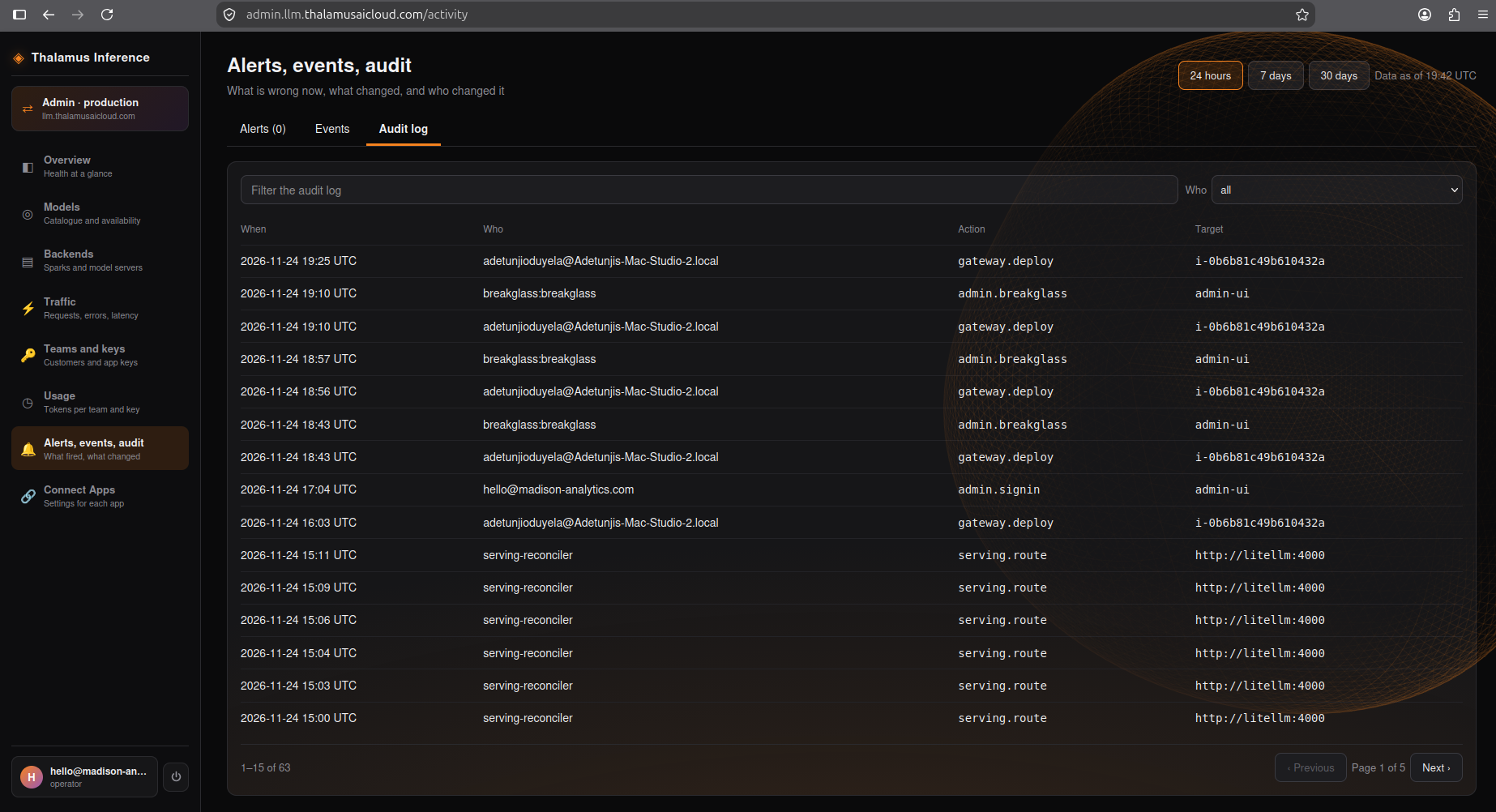
  • Alerts, events and the audit log, filterable
Read the Admin console guide β†’
The Admin console Overview
The Overview β€” what Thalamus Inference offers and how it is doing now.
How it works

One gateway in front of private model servers

Every request passes through one gateway with the caller's own key. Model servers run vLLM on DGX Sparks behind their own TLS, reachable only over a private network.

  • LiteLLM for keys, limits, routing and metering
  • An Ollama layer that translates to the same gateway
  • Start, stop and schedules per Spark, from the console
  • Health probes and automatic failover between backends
Read How it works β†’
The Backends page with each Spark and its model servers
Backends β€” each Spark, its model servers, the gateway's routing, and the next scheduled change.
Security & governance

Keys, boundaries and no stored content

Keys are per application and per team; a team reaches only its own backends. Requests and replies are never stored or logged, and every change is in the audit log.

  • Sign-in with Thalamus AI Cloud accounts; roles for staff, operators and customers
  • Revocation takes effect at once
  • Message content is never written to disk or logs
  • TLS and a private network to every model server
Read Security & governance β†’
The audit log in the Admin console
The audit log β€” who changed what, and when.

Develop locally

A development gateway runs on your own machine with stand-in model servers, so an application can be built and tested without GPUs.

The Thalamus Inference Admin console

Schedule a demo

Run your models on your terms

Tell us about your applications and the models they need, and we'll show you how Thalamus Inference would serve them: on Thalamus DGX Sparks, or on hardware in your own network, behind one gateway with your own keys and usage.

  • A walkthrough of the gateway, the models and the Admin console
  • Which of your applications connect by configuration alone
  • Sizing: which models fit on which Spark, and what they serve

We'll use these details only to prepare and schedule your demo. No spam.

βœ“ Thanks β€” your demo request is in. We'll reach out to confirm a time that works for you.